

You built a page. It looks great. Then a real person shows up, makes an account, uploads a photo, and you realize you have no idea where any of that is supposed to go. That wall is where most new builders first meet the word backend, and Firebase is the most popular way over it.
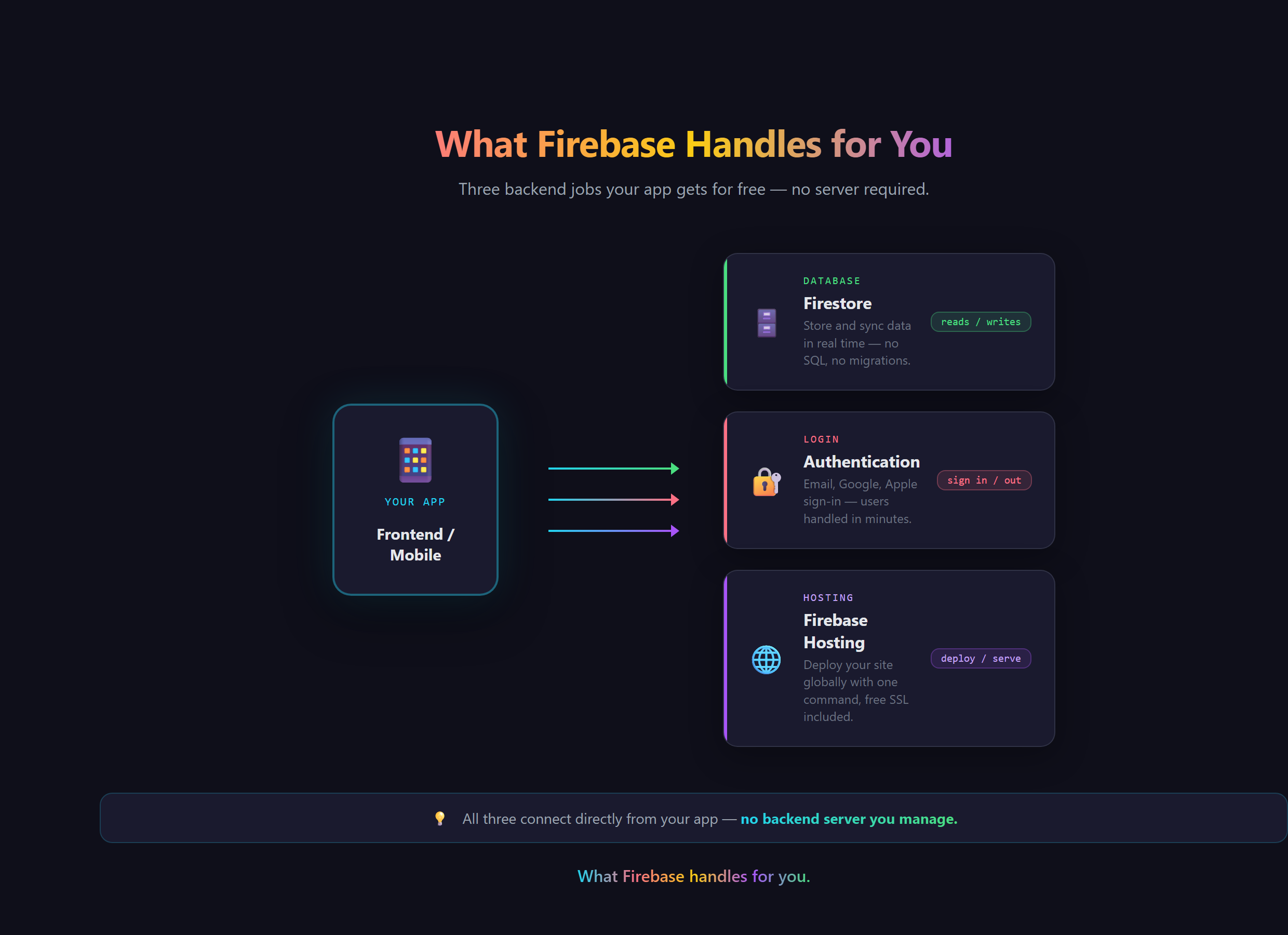
In short, Firebase is Google's all-in-one backend. It stores your data, handles your logins, and hosts your site, so you do not have to build any of that plumbing yourself.
What a backend actually is
Your website has two halves. The front end is everything the visitor sees: the buttons, the text, the layout. The back end is everything they do not see, the part that remembers things. Every time you log into Instagram on a brand new phone and all your photos are still there, that is a back end quietly doing its job. Firebase is one of the most popular back ends on the planet, and the friendliest one for someone just starting out.
What Firebase actually gives you
Firebase is really a bundle of four services that work together:
- A database (Firestore):your app's long-term memory. Accounts, posts, orders, settings, anything it needs to remember after the visitor closes the tab.
- Authentication: the system that lets people sign up and log in, and knows who is who. Email and password, Google sign-in, and more.
- Hosting: the service that puts your site on the live internet at a real address instead of only on your laptop.
- Storage: a home for the bigger files, the profile pictures, the PDFs, the videos people upload.
Together those four cover most of what a normal app needs, which is exactly why so many products quietly run on Firebase.
Why it is free to start
Firebase has a generous free tier on purpose. Google would rather you build your project on its tools and grow into a paying customer later than charge you on day one. For a new builder that means you can stand up a real database, real logins, and live hosting without paying anything until you actually have traffic worth paying for. That shape, free to start and pay as you scale, is now the norm across modern app tools.
Why it matters when you build with AI
Here is the part that surprises people. With an AI assistant you do not have to hand-build any of this. You can ask for it. But you still have to know what to ask for. If the words database, authentication, and hosting mean nothing to you, you cannot describe what you want, and your AI cannot read your mind. Knowing what Firebase is turns a vague wish ("I want people to log in and save stuff") into a clear instruction. That vocabulary, the exact words that make AI build the right thing, is the whole point of how we teach at Venom AI.
What goes wrong without a backend
Skip this and your site can look finished while doing nothing real. Data typed into a form vanishes the second the page reloads. There is no way to log in, because there is nowhere to keep an account. Nothing can be shared between two people, because there is no shared place for it to live. A backend is the difference between a brochure and an actual product.
Creating a Firebase project and getting your first real site live on it is walked through step by step in Venom AI's Tier 1, part of how we teach you to Make Anything With AI. Learn the four pieces, and you will never look at a "simple" app the same way again.