

There is a dangerous moment in every build where the thing works on your screen and your brain declares it done. It is not done. "Works on my machine" and "ready for a stranger on their phone" are different bars, and the gap between them is full of small things you have stopped noticing. A launch checklist is how you cross that gap on purpose instead of finding out the hard way.
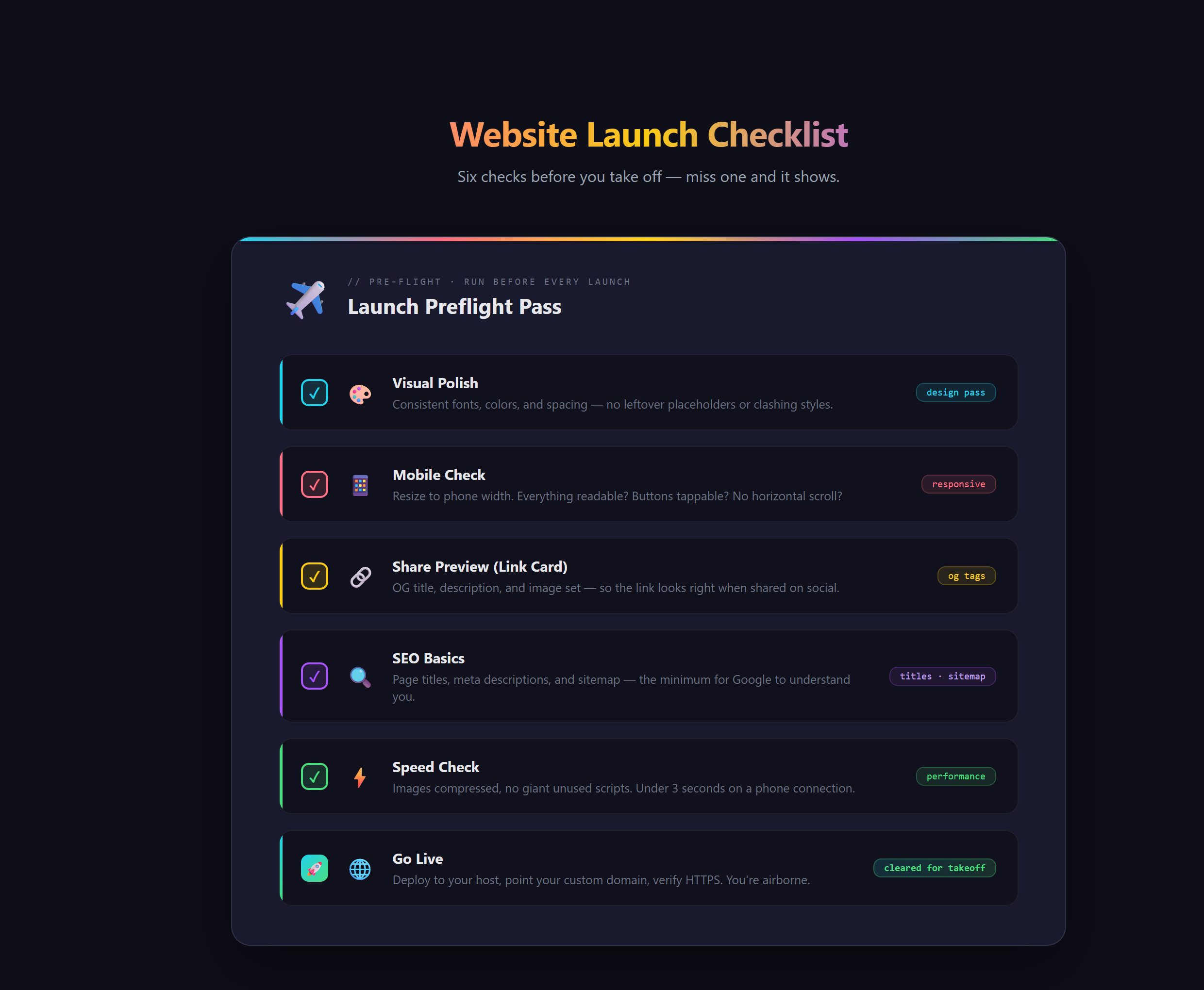
In short, a website launch checklist is the final pass of polish, mobile checks, share previews, and SEO basics that takes a site from almost-finished to genuinely, confidently live.
Why the last ten percent is the part people see
You have lived inside your project for hours, so you have gone blind to it. You no longer notice that the heading is slightly off on a phone, or that sharing the link produces a blank gray box, or that the browser tab has no title. A first-time visitor notices all of it instantly, because that surface is the only thing they have to judge you by. The checklist exists to put fresh eyes back on the work right before the people you are trying to impress do.
Think of it like a pilot's pre-flight check. The plane probably would fly without it. The checklist exists because "probably" is not good enough when it counts, and because a calm two-minute pass catches the one thing that would have ruined the trip. A launch is the same. The site probably works. The checklist makes sure.
What a final pass actually covers
A good launch pass moves across a few distinct surfaces, each catching a different class of embarrassing problem:
- Polish and mobile: does it look intentional, and does it hold together on a phone, where most of your visitors actually are? A layout that breaks on mobile is the most common launch-day miss.
- Share previews: when someone drops your link in a chat or posts it, does a clean title, description, and image show up, or a blank box? That preview is often the first thing anyone sees of your site, before they even click.
- SEO basics: clear page titles, a description per page, and a sitemap so search engines can read and list your site. This is the groundwork that lets you get found later.
- Speed and go-live: a quick performance check so the site loads fast, then the actual flip to live at your real address.
None of these are huge on their own. Together they are the entire difference between a launch that looks deliberate and one that looks like you hit publish by accident. Running this pass well is exactly the kind of finish we drill at Venom AI.
Where it connects to the rest of launching
The checklist is the capstone that ties your other launch pieces together. Your site needs a real home, which is the job of a backend and host like Firebase, and it needs a real address people can find, which is your custom domain and Search Console. The launch checklist is the moment you confirm all of it is actually in place and presentable before you tell the world.
What goes wrong without the final pass
Skip the checklist and you launch with your fly down. The site looks great on your laptop and falls apart on the first phone that opens it. The excited link you share shows a blank preview that makes it look broken. Search engines cannot read the site, so it stays invisible. None of these are hard to fix, and all of them are brutal first impressions you only get to make once. A ten-minute pass would have caught every one.
The full pre-launch checklist, polish, SEO, share previews, and the confident flip to live, with your AI assistant handling the fixes in VS Code, is walked through step by step in Venom AI's Tier 1. It is the final move that turns a project into something you are proud to ship, and the last step in learning to Make Anything With AI and actually put it out into the world.