

You add a feature that saves a user's work, ship it, and feel great. Then two people use it at the same time and their stuff gets tangled together, because your app has no idea who is who. Everything you build after that, profiles, private data, anything personal, depends on solving this one problem first.
In short, user authentication is how an app proves you are who you say you are: the login step that ties a real person to their own private account and data. It is the difference between a public bulletin board and a product that can keep a secret.
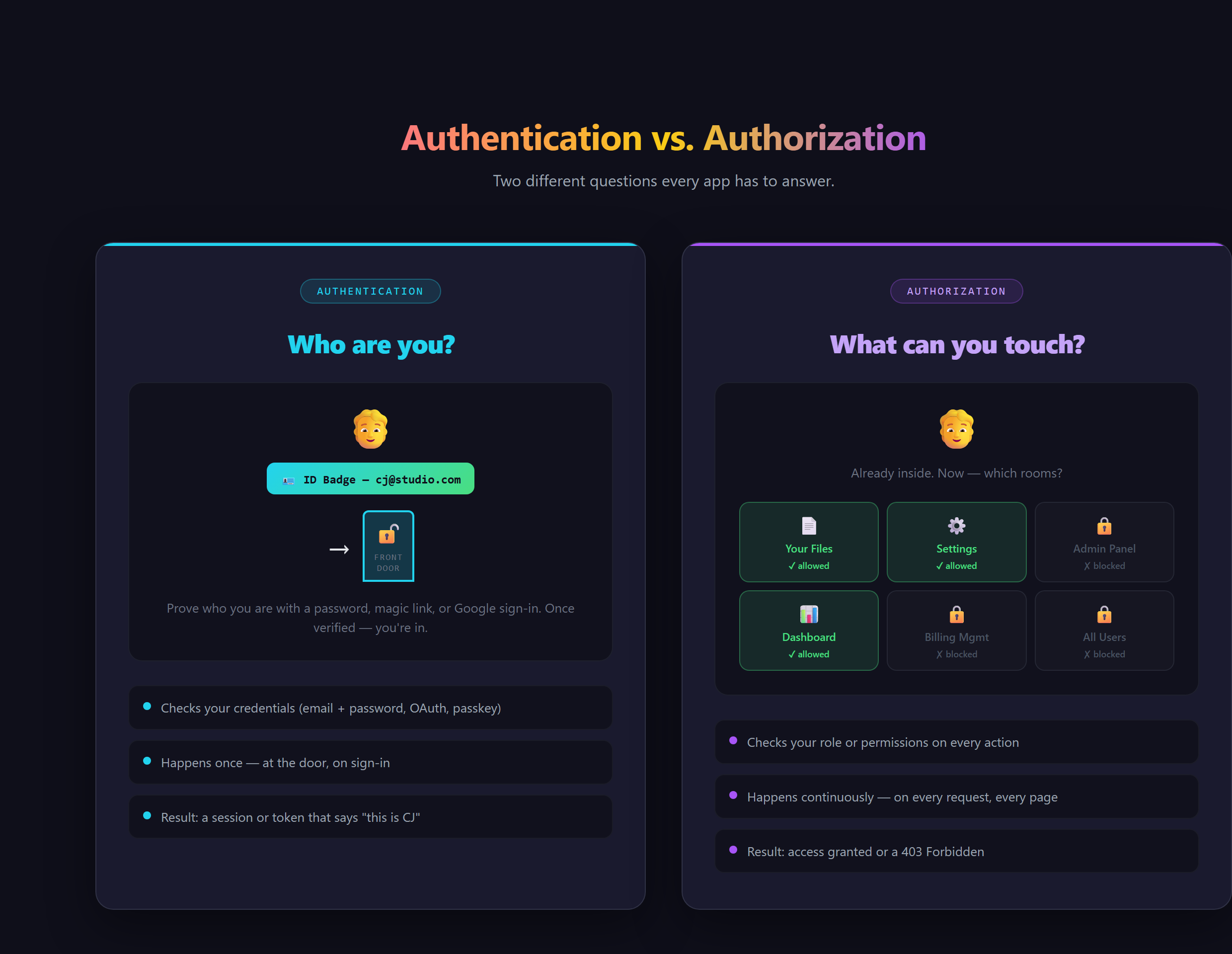
What is authentication actually doing?
At its core it is a doorman. When someone shows up, the app needs to confirm they are the same person who created the account, hand them a sort of temporary wristband that says "yes, this is them," and then check that wristband on every page so they do not have to log in again every click. You have seen this every time you open Gmail on a new phone: the password prompt is authentication, and the fact that it stays logged in afterward is that wristband doing its job.
Authentication vs authorization: what is the difference?
People mix these two up constantly, and the distinction matters. Authentication is who are you. Authorization is what are you allowed to do. Logging in proves your identity. Whether that identity can delete other people's posts, see the billing page, or reach the admin panel is a separate question. An app needs both, and it always does them in that order: confirm the person first, then decide what that person can reach.
What are the main ways people log in?
There is more than one flavor, and a modern app usually offers a couple:
- Email and password: the classic. Simple to understand, but it puts the burden of a strong, unique password on the user.
- Social login:the "Continue with Google" button. The user reuses an account they already trust, and your app never has to store their password at all.
- Magic links: instead of a password, the app emails a one-time link that logs you straight in.
- Passkeys:the newer, passwordless approach that uses your device's fingerprint or face unlock. Harder to phish, easier to use.
Each has tradeoffs in security and friction. Knowing the names is what lets you decide which ones fit your app instead of defaulting to whatever shows up first.
Many apps now stack a second check on top, called two-factor authentication: even with the right password, you also confirm a code from your phone or an authenticator app. It is the difference between one lock on the door and two, and it is fast becoming the expected baseline for anything holding real accounts or money.
What goes wrong without it (or when it is done wrong)?
Skip authentication and your app simply cannot have the concept of "your" anything: no private data, no saved settings, no way to tell two users apart. Build it badly and it is worse than skipping it, because now you are holding people's accounts and leaking them. The classic mistakes are storing passwords in a way that can be read, forgetting to handle resets safely, or trusting the browser to enforce the rules. Each one is the kind of bug that ends up in a news headline.
Why is this the part you should not hand-roll?
This is where new builders get a useful surprise. Authentication looks simple from the outside, a form with two boxes, but the dangerous parts are invisible: secure storage, session handling, password resets, and what happens during a breach. That is exactly why the modern answer is to lean on a proven service that has already solved those hard parts, the same way most apps you use every day do. Your job is to understand the pieces well enough to wire the right one in and know it is set up correctly. That vocabulary, the words that let you ask an AI assistant for the right thing, is the whole point of how Venom AI teaches you to Make Anything With AI.
Wiring real, secure user accounts into an app, the right way and without rolling your own crypto, is covered in Venom AI's Tier 2. Once your app knows who its users are, almost everything else you want to build becomes possible.