

Your app launches, real people start using it, and then the email arrives: "can you refund me?" or "please delete my account." You go to handle it and realize there is no screen for that. Your only option is to open the raw database and edit it by hand, with no undo button. That sinking feeling is the moment you discover you needed an admin dashboard yesterday.
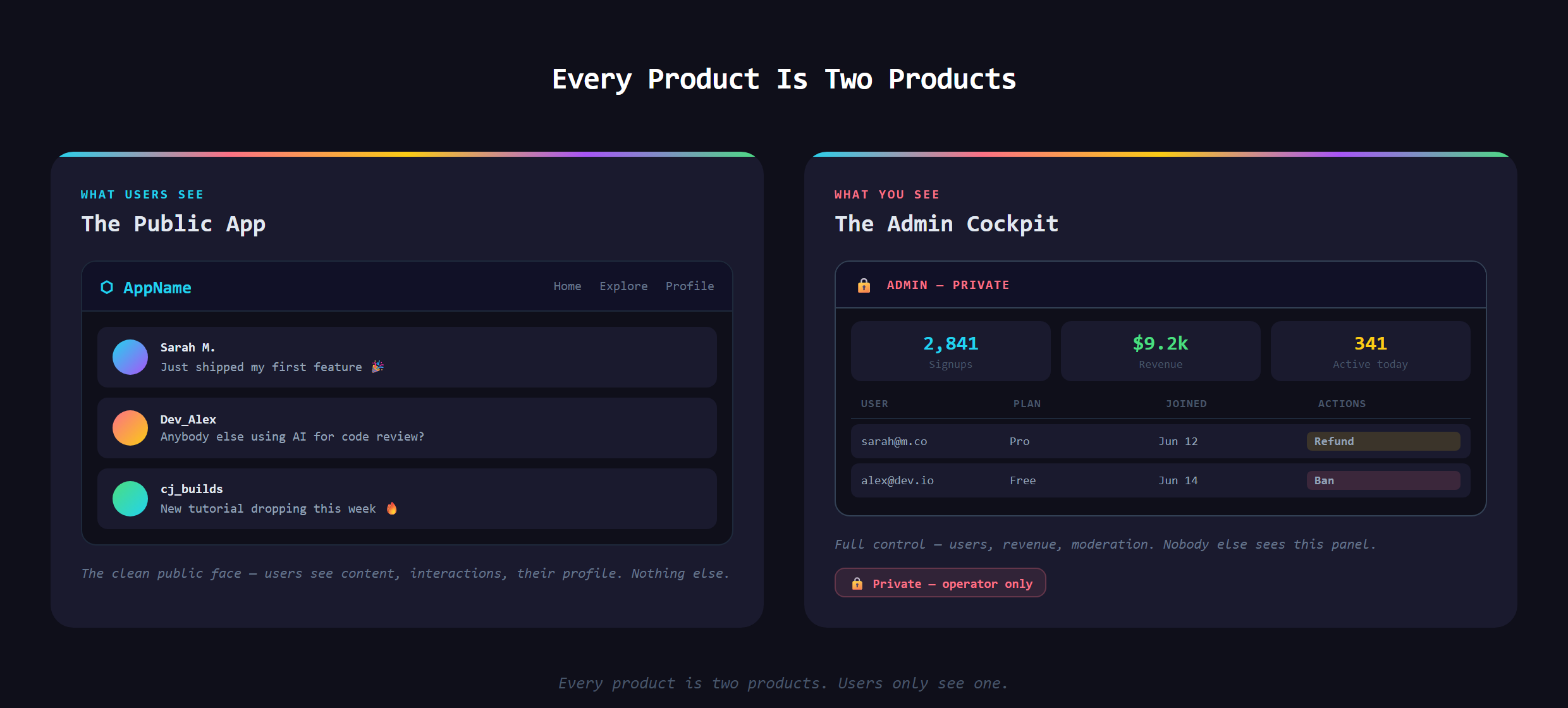
In short, an admin dashboard is the private back-office screen, hidden from normal users, where you (the operator) can see what is happening in your app and manage it: users, content, orders, and the numbers that matter. It is the half of the product only you ever see.
What is an admin dashboard?
Think of it as the cockpit for your app. Users get the comfortable passenger seat, the clean public experience. You get the panel full of gauges and switches that actually flies the thing. You have used apps on both sides of this without realizing: the support agent who reassigns your ride-share driver and the shop owner who fulfills your order are both working in a back office you, the customer, never see.
What does every dashboard need?
They vary by product, but almost all of them share the same core ingredients:
- A view of your users: who signed up, who is active, who is paying.
- The key numbers: signups, revenue, usage, the few metrics that tell you if the thing is working.
- The ability to act: refund, reset, ban, edit, or delete, safely and in one click.
- Content management: approve, feature, or remove whatever users create.
- Activity and logs:a record of what happened and when, so you can answer "wait, what changed?"
Why does every serious product have one?
Because you cannot run a real operation by poking at a raw database every time something comes up. A dashboard turns dangerous manual edits into safe, purpose-built buttons. It lets a non-technical teammate help a customer without breaking anything. And it gives you a single window into whether the product is growing or quietly stalling. That visibility is the difference between running a business and guessing at one.
Is an admin dashboard the same as an analytics dashboard?
People mix these two up, and the difference is worth holding onto. An analytics dashboard is mostly for looking: charts and trends that tell you how the business is doing. An admin dashboard is for doing: it shows you the users and orders, and it lets you act on them, refund, edit, ban, reset, all from one screen. Plenty of products fold a little analytics into their admin panel, which blurs the line, but the defining power of an admin dashboard is that you can reach in and change real things safely. That ability to act, not just observe, is what makes it the operator's cockpit instead of a report you read.
Who actually uses the dashboard?
You, first. But the real payoff comes when it lets a non-technical teammate help out. A support person can answer a refund request, a moderator can pull down bad content, and none of them need to touch code or the database to do it. A good dashboard is how a one-person project grows into something a small team can run together.
What goes wrong without one?
Without a dashboard you are flying blind. You cannot tell how many people actually use the thing, you cannot help a stuck customer quickly, and every fix means hand-editing data with the very real chance of nuking the wrong record. Worse, you have no early warning. Problems that a good dashboard would surface in a glance instead show up as angry emails or users who simply vanish.
Why build it early?
New builders treat the admin panel as a someday luxury, then scramble to build one in a panic the first week real users arrive. The smarter move is to treat it as a core part of the product from the start. With an AI assistant in VS Code you can stand up a genuinely useful operator view without it being a massive project, as long as you know what belongs in it. Knowing what to put in the cockpit is part of how Venom AI teaches you to Make Anything With AI.
Building the operator dashboard that lets you actually run your app is covered in Venom AI's Tier 2. The day you can see and manage your own users, your project finally feels like a real product instead of a demo.