

You can build an app that works perfectly and is still wide open. It looks finished, people can sign up, data saves, everything functions. And a bot somewhere is already poking at it, because bots poke at everything. Security is the difference between an app that quietly does its job and one that quietly leaks your users to a stranger.
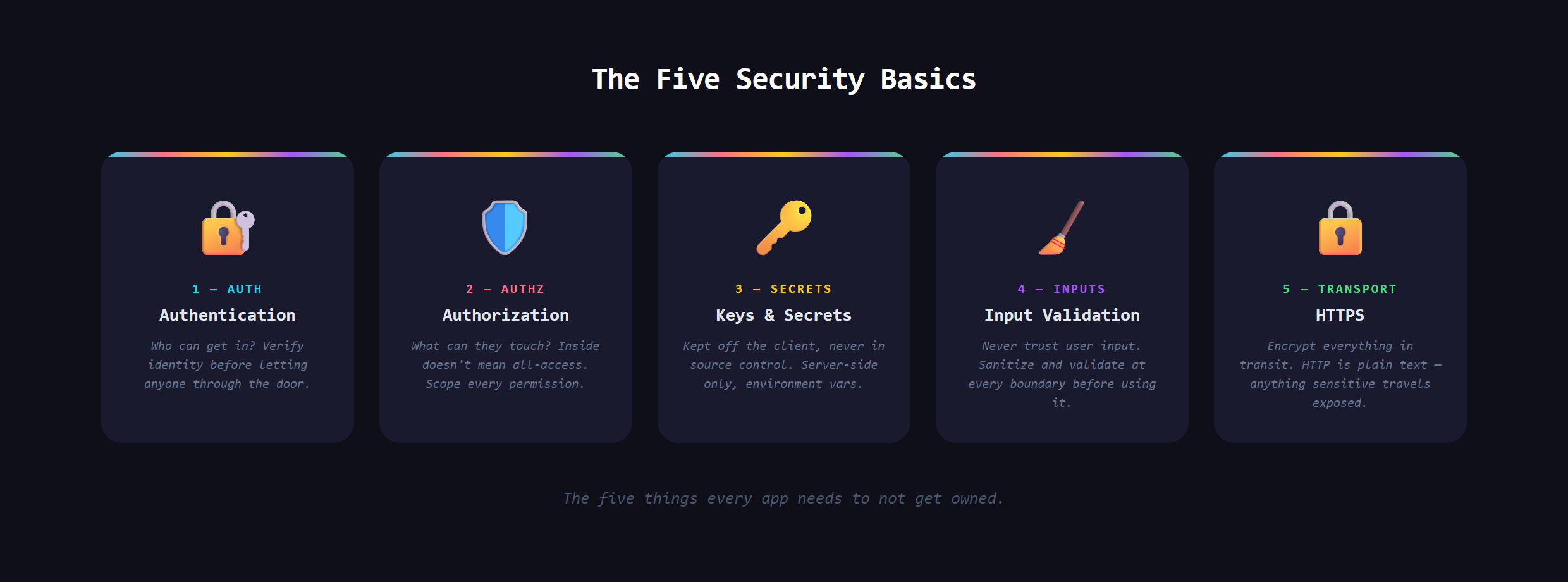
In short, web app security is the small set of habits that keep the wrong people out of your app and out of your users' data. It is not one feature you bolt on at the end. It is five basics you build in from the start.
You have seen this work in the background every day. The little padlock in your browser bar, the code your bank texts you, the "you do not have permission" message when you click something you should not: that is web security doing its job so quietly you barely notice.
Why do automated bots target every app?
The mental model most beginners carry is wrong. They picture a hooded hacker choosing to attack them, decide they are too small to bother with, and relax. In reality most attacks are not personal. They are scripts crawling the entire internet, knocking on millions of doors a day, trying the same handful of known weaknesses on every one. Your app does not need to be famous to get found. It just needs to be online.
What is the front door of your app?
The first basic is authentication: proving someone is who they say they are before you let them in. This is the login system, the front door. If it is weak, nothing behind it matters. Authentication is its own deep topic, which is why user authentication gets a guide of its own. For now, know that a real login system, done properly, is non-negotiable for any app that has accounts.
Who is allowed to do what?
The second basic is authorization, and it trips up more builders than any other. Authentication asks "who are you?" Authorization asks "what are you allowed to touch?" They are not the same. A logged-in user is still not allowed to read another user's private messages or delete someone else's account. The classic failure is checking that someone is logged in, then forgetting to check that this particular person is allowed to do this particular thing. Every door inside your app needs its own lock, not just the front one.
Where do secrets belong?
The third basic is handling secrets: the API keys, passwords, and access tokens that let your app talk to other services. A secret is exactly what it sounds like, a value that must never be visible to the public. The number-one rookie disaster is pasting a secret straight into your code and pushing it somewhere public, where one of those scanning bots finds it within minutes and racks up charges on your account. Secrets live in a separate, protected place, never inside the code itself. Knowing that distinction early saves real money and real pain.
Why should you never trust what users type?
The fourth basic is input validation: treating everything a user types as potentially hostile until you have checked it. Most people assume visitors will fill a form out honestly. Attackers assume the opposite, and feed your fields deliberately broken or malicious input to see what slips through. The rule professionals live by is simple to state: never trust input. Always check it before you store it, show it, or act on it. The how-to of doing that cleanly is craft, but the mindset is the part that protects you.
What does HTTPS actually do?
The fifth basic is HTTPS, the encrypted version of a web connection, and the source of that padlock in your browser. Without it, everything traveling between your user and your app, passwords included, crosses the internet in plain readable text that anyone on the same network can scoop up. With it, that traffic is scrambled. The good news is that modern hosting usually turns this on for you, so the real skill is knowing it must be there and confirming it is, never shipping a login form over an unencrypted connection.
What goes wrong when you skip the basics?
Skip these and the failures are not subtle. A leaked key drains a budget overnight. A missing authorization check lets one curious user read everyone's data. Unvalidated input becomes the doorway an attacker walks through. These are not exotic, rare events. They are the ordinary, everyday ways apps get breached, which is exactly why the same five basics show up behind nearly every secure product.
Building these five in from the start, the right way, is covered in Venom AI's Tier 2, part of how we teach you to Make Anything With AI. You do not have to become a security expert. You just have to know which doors exist, so you can make sure every one of them is locked.