

You finish a desktop app, send it to a friend to try, and they hit a full-screen warning telling them your software is from an unknown developer and might be dangerous. Nothing is wrong with your app. It is just missing the one thing that tells the computer it is safe to trust, and that thing is a signature.
In short, code signing is a digital signature attached to your software that proves who made it and guarantees no one altered it after you shipped it, which is why a signed app installs cleanly while an unsigned one looks sketchy.
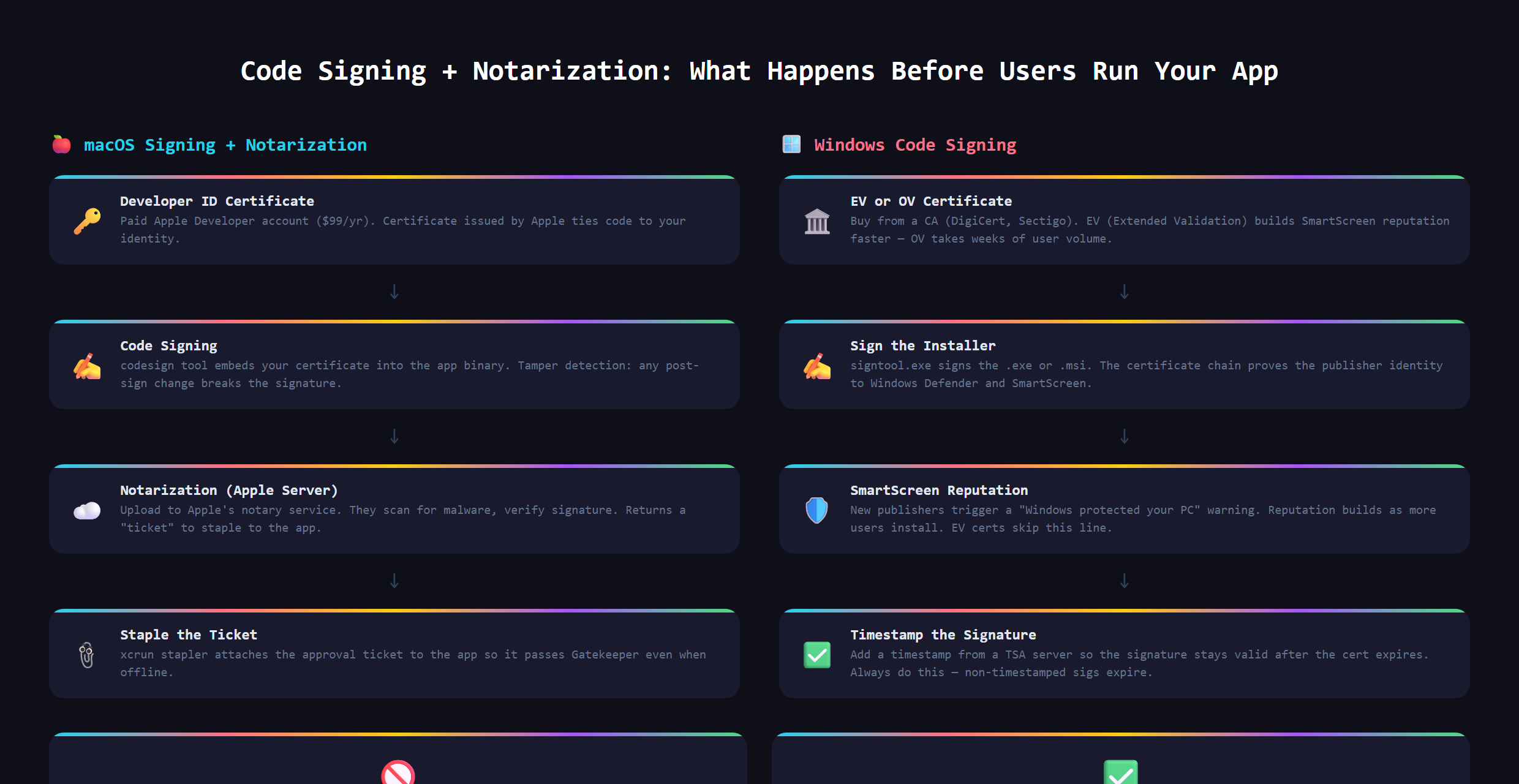
What does signing actually prove?
A code signature answers two questions the operating system cares about. First, who made this? A signature ties the software to a verified identity, so the computer can show a real name instead of a shrug. Second, has anyone messed with it since? If even one byte of the app changed after it was signed, the signature breaks, and that is the alarm going off.
So it is not really about hiding anything. It is about accountability and integrity. The signature is a tamper-evident seal with your name on it, the same idea as a wax seal on a letter, just done with math instead of wax.
Where have you seen this?
You have run into both sides of this. When you install a major app and it opens without a fuss, showing a verified publisher name, that is code signing working. When you download a small tool and your computer demands you confirm three times that you really, really trust it, that tool was almost certainly unsigned. Same download, very different feeling, and the signature is the reason.
What goes wrong without it?
Skip signing and your perfectly good app inherits the body language of malware. Windows throws up a blue warning screen. Mac may refuse to open it at all without the user digging through settings to override the block. Browsers and antivirus tools get twitchy about unsigned downloads too.
Most regular people, faced with a scary warning, do the sensible thing: they bail. You can build something genuinely useful and still lose almost everyone at the front door, purely because the computer could not vouch for you. That is a brutal way to lose users who would have loved the product.
How does real software ship and stay trusted?
Signing is the entry ticket, but trusted software keeps earning it. Mac, for example, adds an extra step where Apple itself checks your signed app before it is allowed to run smoothly. And once people have your app, they expect updates to arrive safely on their own, which only works if every new version is signed too, so the computer keeps trusting the chain.
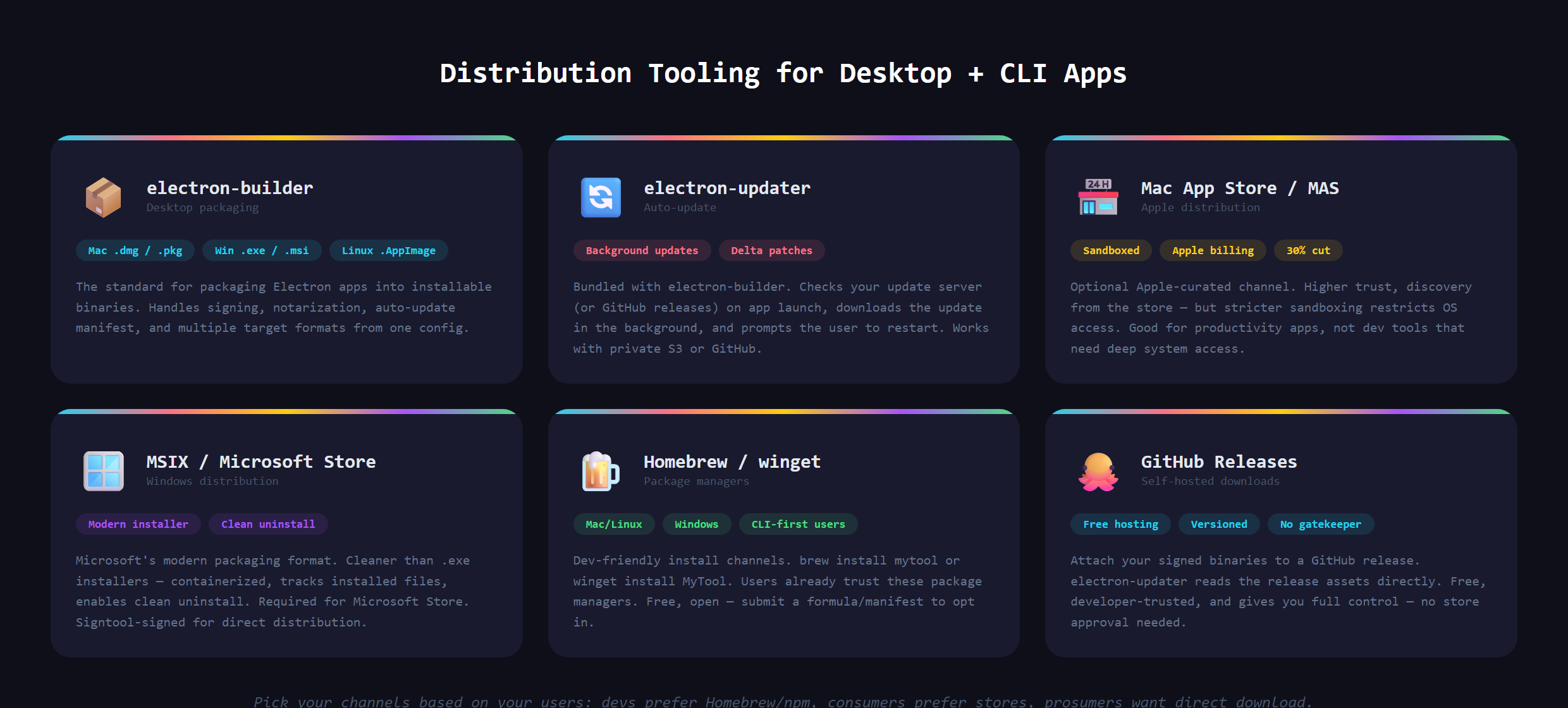
Where it fits in the bigger picture
Code signing is the last mile of shipping installable software. It only matters once you are handing people something to download, which is exactly the world of Electron desktop apps and CLI tools. Building the app is one skill. Getting it onto a stranger's computer without tripping every alarm is a separate one, and it is the part that decides whether anyone actually runs what you made.
Signing your app, getting it past the operating system's defenses, and wiring up safe auto-updates is covered in Venom AI's Tier 4, part of how we teach you to Make Anything With AI. It is the unglamorous step that separates a hobby project from software people will actually trust enough to install.