

You built something on the web and it works great in a browser tab. Then someone asks for a real app, the kind they download, install, and open from their desktop with its own icon. It feels like you would have to start over and learn a whole new way of building. You do not, and Electron is the reason.
In short, Electron is a free, open-source framework that wraps a web app inside a desktop shell, turning the site you already built into a real downloadable program for Windows, Mac, and Linux.
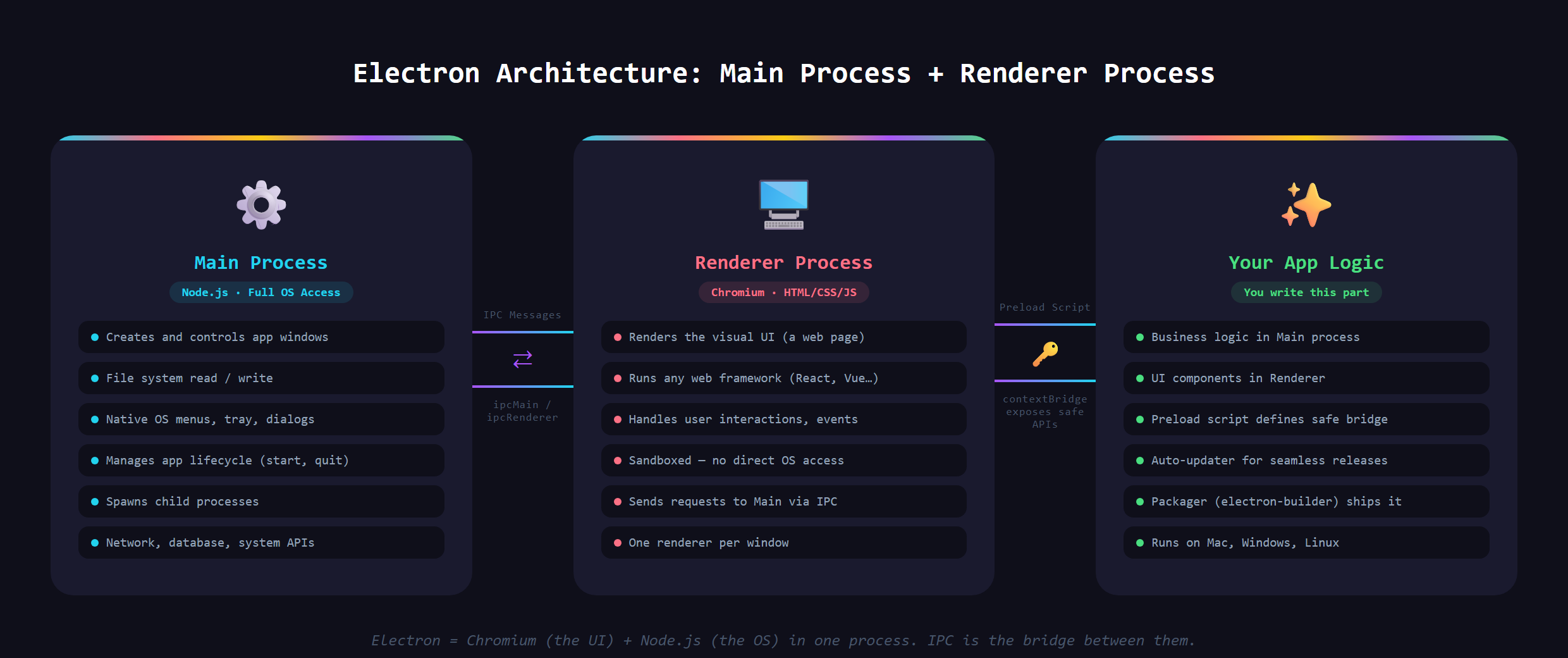
How does a web app become a desktop app?
A desktop app and a website are more alike than they look. Both are made of an interface drawn on a screen and some logic running behind it. The catch is that a website needs a browser to display it, and a desktop app is supposed to run on its own.
Electron solves that by quietly packing a browser engine inside your app. Your web interface renders in that built-in engine instead of in Chrome or Safari, so to the user it just looks like a normal program. On top of that, Electron hands your app powers a website never gets: reading and saving files on the computer, real menus, system notifications, and an icon in the dock.
You have definitely used one
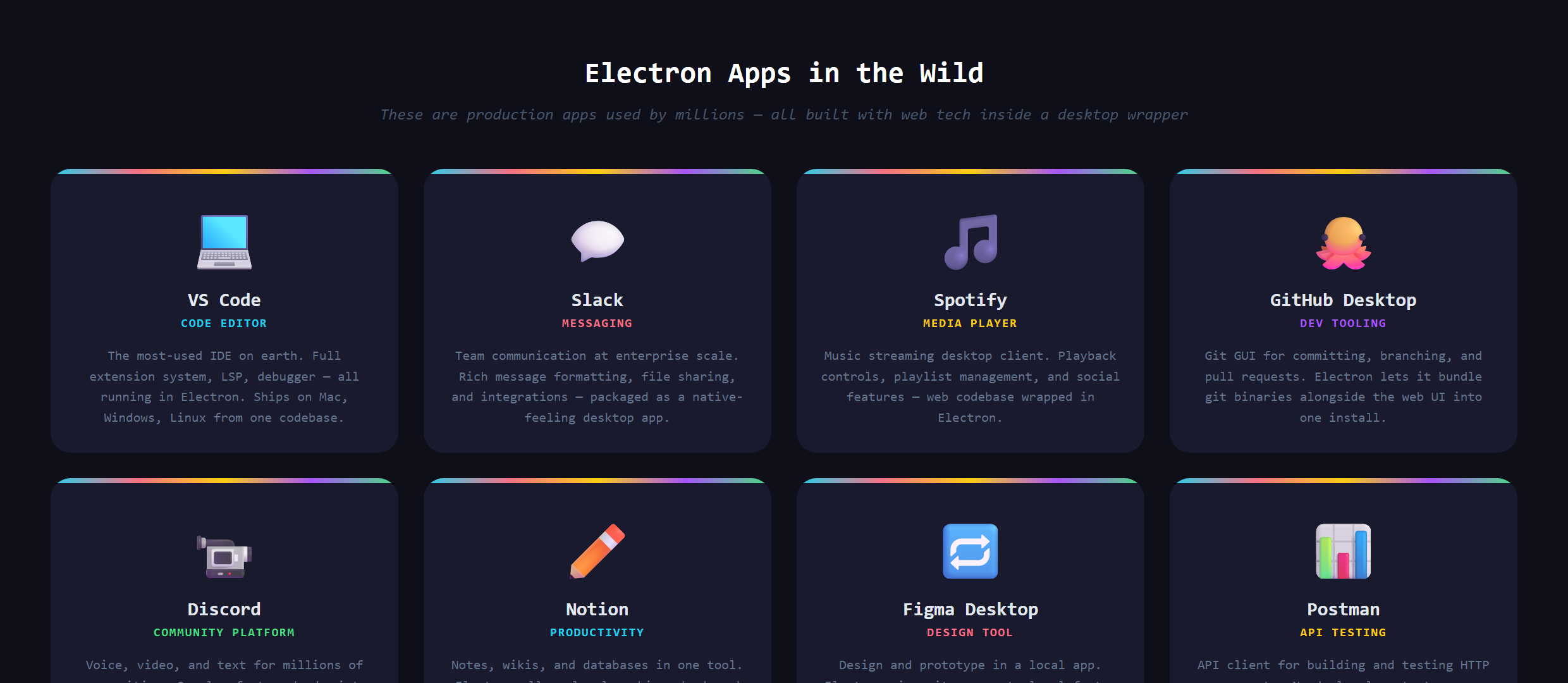
This is not a niche trick. A lot of the apps you open every day are Electron under the hood. VS Code, the editor we teach building in, is an Electron app. So are Slack, Discord, and plenty of other tools that feel completely native. The next time one of those launches, you are watching a web app pretending convincingly to be a desktop program. Once you know the tell, you start spotting them everywhere.
Why builders reach for it
The pull is simple: you do not learn a second craft. The same HTML, CSS, and JavaScript that make a website also make the inside of an Electron app. One codebase becomes a real program for Windows, Mac, and Linux at once, instead of three separate native projects in three different languages.
For someone building with AI, that is a gift. The skills you already have carry straight over, and your AI assistant can help you wrap a working web app into a desktop one the same way it helped you build the web app in the first place. You are extending what you know, not throwing it away.
What is the catch?
Bundling a whole browser engine into every app is not free. Electron apps tend to be larger to download and hungrier with memory than a lean native app doing the same job. For most tools nobody notices or cares, which is exactly why so many ship this way. But if you were building something that had to be tiny and featherlight, you would weigh that tradeoff carefully.
There is also the last mile. Shipping a desktop app is not the same as deploying a website. People have to download and install it, and their operating system will be suspicious of software it does not recognize. That is where code signing comes in, and it is its own piece of the puzzle.
Where it fits in the bigger picture
Electron is one of several ways to take something off the web and turn it into installable software. It sits next to command-line tools and browser extensions as a distribution play: same product brain, different shell, different way people get it onto their machine.
Taking a web app and packaging it into a signed, downloadable desktop app is covered in Venom AI's Tier 4, part of how we teach you to Make Anything With AI. The short version: if you can build for the web, the desktop is a lot closer than it feels.