

Your app needs to do something it simply cannot do alone: charge a card, send a text, drop a map on the page, check the weather. You are not about to build a payment network or launch a mapping satellite. So how does a small app borrow the powers of giant ones?
In short, an API is a doorway one app opens so other apps can use its features or data, in a structured way, without ever seeing how it works inside. It is the reason a one-person app can quietly stand on the shoulders of Stripe, Google, and dozens of others.
What is an API, really?
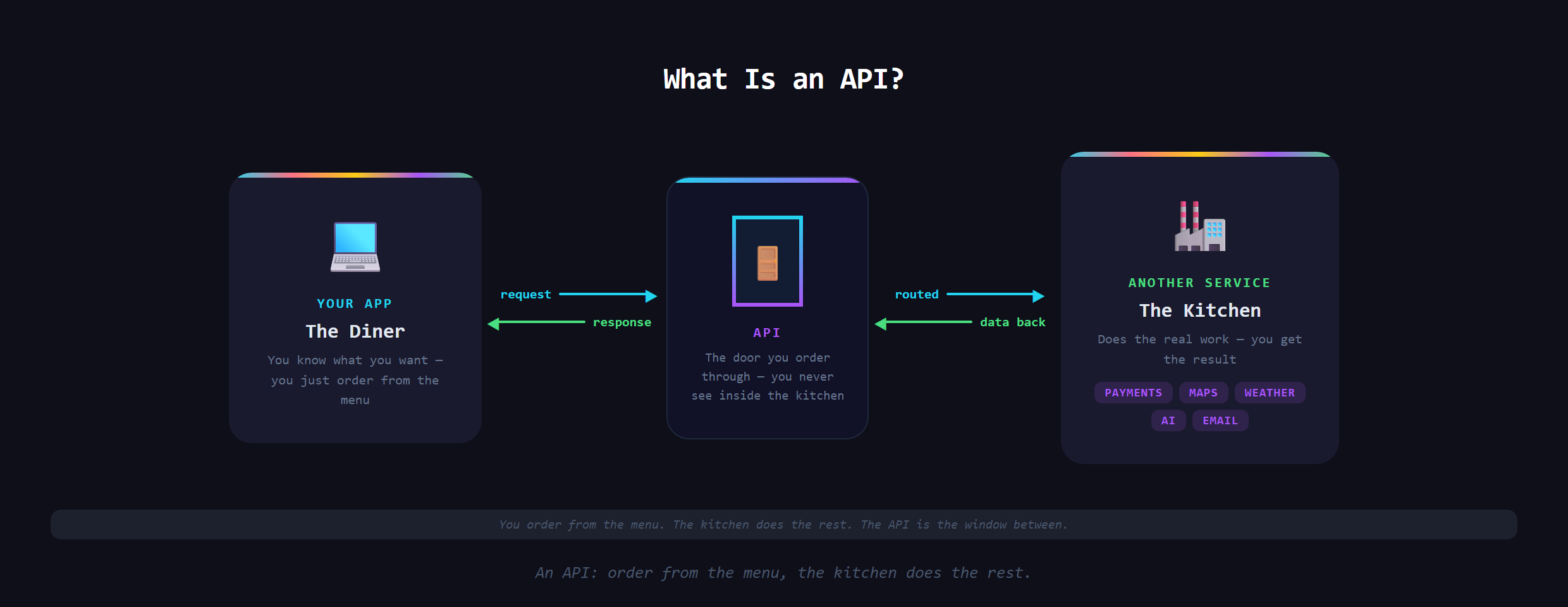
The restaurant version is the one that sticks. You sit down, you order from a menu, the kitchen does the cooking, and your food comes out. You never walk into the kitchen, and you do not need to. The menu is the agreement: here is what you can ask for, and here is what you get back. An API is exactly that menu for software. Your app makes a request, the other service does the work, and a response comes back.
Why do apps need them?
Because nobody builds everything from scratch anymore, and nobody should. Specialized services do one hard thing extremely well, and they expose an API so the rest of us can plug into it. You have already met several of these without naming them. The way apps take payments is an API call to a processor. The way apps send email is an API call to a delivery service. Every one of those is your app borrowing a superpower instead of inventing it.
What does an API call look like, conceptually?
Strip away the jargon and it is a polite exchange. Your app sends a request to a specific address, includes a little information about what it wants, and the service sends back a tidy package of data (often in a format called JSON) that your app reads and uses. You have seen the result every time an app shows a live map inside it, or a "Sign in with Google" button just works. That is an API call happening in the background, faster than you can notice.
What is an API key, and why does it matter?
Most services will not let just anyone through the door. They hand your app an API key, a kind of ID badge that proves you are allowed in and lets them track your usage. The big rule is to keep it secret. A leaked key is like leaving your badge on the sidewalk: anyone who finds it can use the service on your dime. Handling keys safely is one of those small habits that separates a real build from a risky one.
What is a webhook (the reverse of an API call)?
There is a useful cousin worth knowing about. With a normal API call, your app asks a question and waits for the answer. A webhook flips that around: the other service calls yourapp the instant something happens, without being asked. It is how a payment processor tells your app "this person just paid" the moment it clears, instead of your app having to keep asking. One is your app knocking on a door, the other is the door ringing your bell.
What goes wrong with APIs?
APIs are powerful, but they are not free of friction. Services set rate limits, so hammer one too fast and it stops answering. They change over time, so an integration that worked last year can break. And you are leaning on someone else's uptime, so if their service goes down, your feature goes with it. None of that is a reason to avoid APIs. It is a reason to understand what you are depending on.
Where do APIs fit when you build with AI?
Here is the part that ties it together. The AI features you add to an app are themselves API calls to a model. So are most of the integrations that make a modern product feel complete. Once you can picture an API as a doorway, the whole internet starts to look like a set of powers you can borrow. That mental model is a big part of how Venom AI teaches people to Make Anything With AI.
Wiring real APIs into your app, safely and without leaking your keys, is covered in Venom AI's Tier 2. Learn to see the doors, and almost nothing feels out of reach for a small builder anymore.