

Everyone keeps telling you to "add AI to your app," and it sounds great until you try to picture what that actually means. Most people imagine a chatbot in the corner, run out of ideas, and stop there. The truth is that a chatbot is just one of several very different things AI can do inside a product.
In short, adding AI to an app means calling a model (like the ones behind ChatGPT or Claude) to do a specific job inside your product, and there are about six repeatable patterns that cover almost everything people actually build. Learn the six and "add AI" stops being a vague wish and becomes a real choice.
What does "adding AI" actually mean?
At the simplest level, your app sends some text (or an image) to a model and gets a useful result back, then shows it to the user. You are not building intelligence. You are renting it for one task at a time. You have seen this everywhere already: Gmail finishing your sentence, a photo app wiping out a background, a tool turning your notes into a summary. None of those are "a chatbot." They are AI quietly doing one clear job inside a normal app.
What are the six patterns?
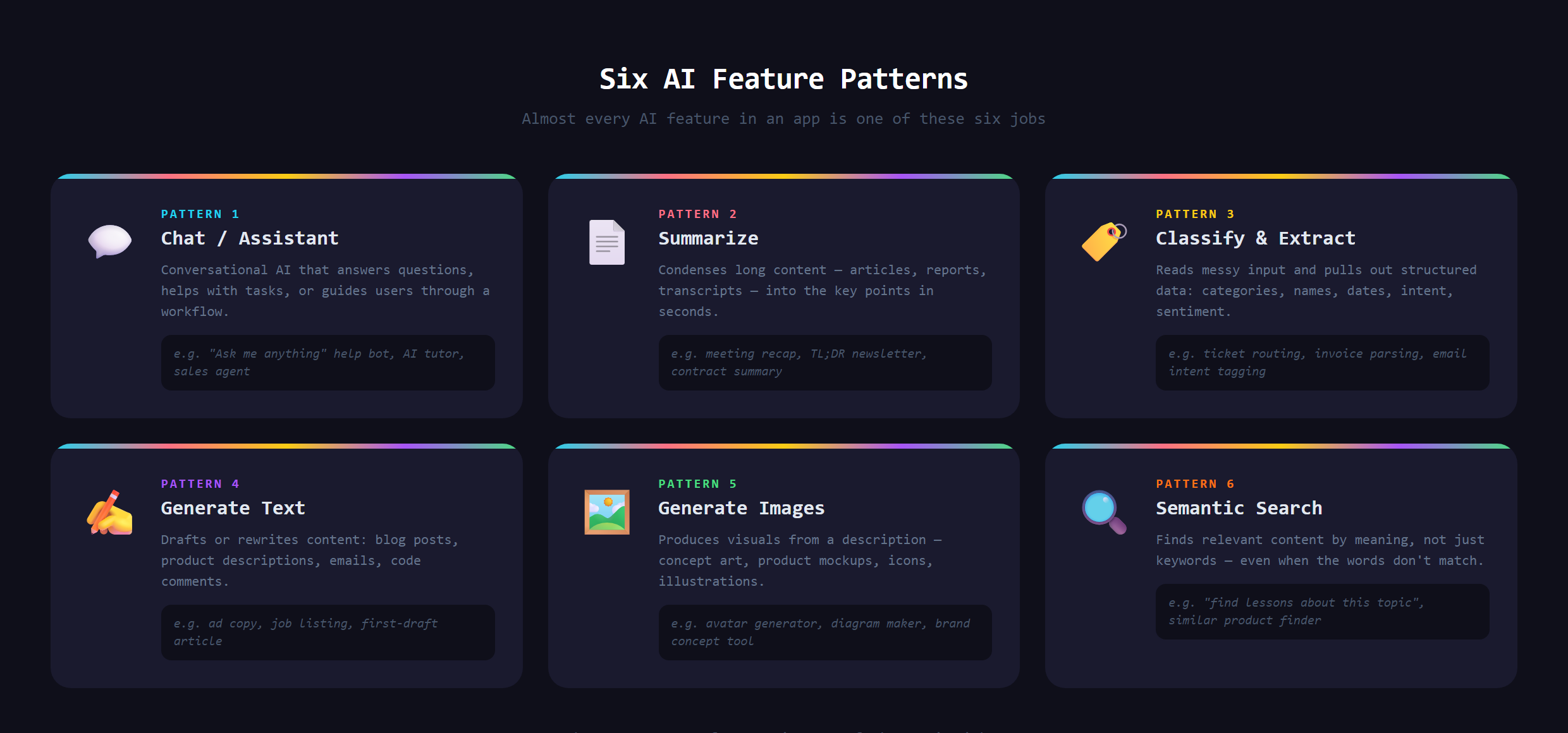
Nearly every AI feature you can name is one of these:
- Chat / assistant: answer questions, guide a user, or let people talk to your own content.
- Summarize: turn something long (an article, a thread, a transcript) into a short, useful version.
- Classify and extract: read messy text and sort it, tag it, or pull out the structured details that matter.
- Generate text: draft replies, product descriptions, captions, or first drafts of anything.
- Generate images: create art, thumbnails, or visuals from a description.
- Semantic search: find things by meaning instead of exact words, the engine behind a lot of smart search and recommendations.
That last one connects straight to how app search works once you want it to understand intent, not just keywords.
How does it work under the hood (the simple version)?
Mechanically, an AI feature is just another request your app makes to an outside service. It sends the input to the model, the model sends back a response, and your app does something with it. That is the same request-and-response shape as any other integration, which is why adding AI feels less like magic and more like wiring once you understand the pattern.
Does adding AI cost money every time?
Usually, yes, and it is worth knowing up front. Unlike a plain button that costs nothing to click, most AI features call a model that charges for each use, so every summary, answer, or generated image carries a small running cost. For a hobby project that is pennies. For a popular feature it adds up, which is exactly why smart builders match the model and the pattern to the job instead of reaching for the most expensive option by reflex. Heavier jobs deserve a stronger model, while simple ones run fine on a cheaper, faster one. Knowing this early keeps a great feature from quietly turning into an expensive one.
What goes wrong when people bolt on AI?
The classic mistake is treating AI as a feature instead of a tool for a job. People slap a generic chatbot on a product that did not need one, give it no clear purpose, and watch it sit there unused. Others ignore the real risks: models can make things up, costs add up with heavy use, and an AI feature with no guardrails can say something you never wanted your product to say. Done well, AI solves a specific problem. Done carelessly, it is a gimmick that erodes trust.
Which pattern should you actually use?
Start from the job, not the buzzword. Ask what painful, slow, or boring thing your users do, then match it to one of the six. The pattern you pick decides everything else. That habit, naming the exact job so you can ask for the right thing, is the whole heart of how we teach people to Make Anything With AI.
Adding real AI features the right way, with the guardrails that keep them useful instead of embarrassing, is covered in Venom AI's Tier 2. Once you can see the six patterns, "add AI" turns from a slogan into a list of things you can actually build.