

The first time you watch an AI coding tool open your files, write code across several of them, run the project, hit an error, and quietly fix it, it feels like witchcraft. It is not. And understanding what is actually happening turns it from intimidating magic into a tool you can direct with real confidence.
In short, an AI coding tool is an AI agent that works inside your codebase: it reads your files, plans a change, edits them, runs commands, reads the output, and repeats until the task is done. It is the same agent loop, with a set of tools built for code.
You have seen the chatbot version: an AI in a browser that hands you a snippet to copy and paste. An AI coding tool is that intelligence moved inside your editor, where it can actually touch the files instead of just describing them, which is the whole point of an AI coding assistant.
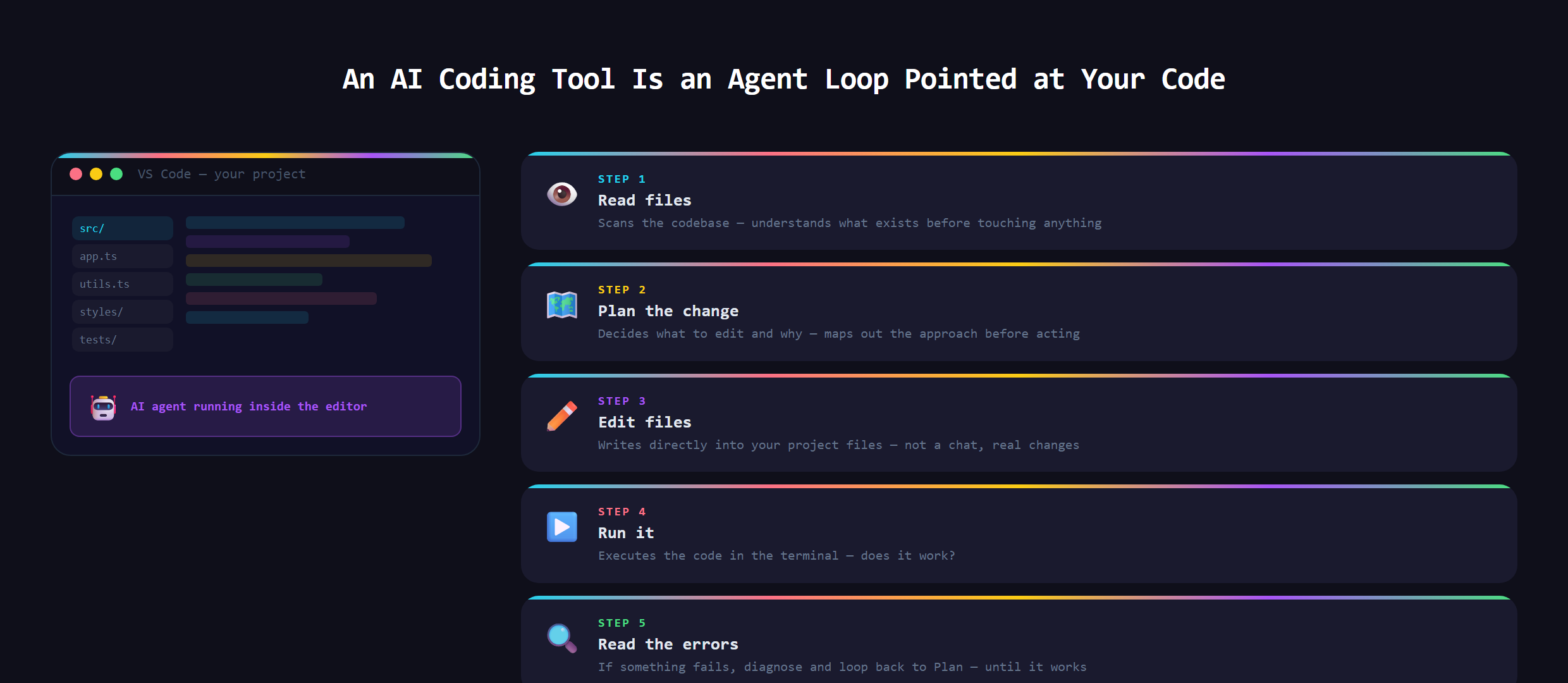
What is really happening under the hood?
Strip away the polish and an AI coding tool is doing what you do, just faster. It reads the relevant files to understand the project. It forms a plan. It makes edits. It runs the code or the tests. It reads whatever came back, including the errors. And it loops, adjusting until the goal is met. There is no secret. It is the same agentic loop behind every AI agent, aimed squarely at a codebase.
What tools does it actually have?
An AI coding tool is only as capable as the tools it is given, and the set is smaller than you would guess:
- Read: open and look at your files.
- Search: find the right code across the whole project.
- Edit and write: change existing files and create new ones.
- Run: execute commands, start the project, run the tests.
With just those, the model can navigate a real codebase the way a developer does. The intelligence is the model; these few tools are its hands.
Why does it read before it writes?
Here is something beginners miss. A good coding tool spends real effort reading your project before it changes anything, because code never lives in isolation. One function depends on another, and a change in one file ripples into three more. The reading step is how the AI builds enough context to make a change that fits instead of one that breaks everything around it. When an AI coding tool does something dumb, it is very often because it did not have, or did not gather, the right context first.
Why does it run the code and read the errors?
This is the part that makes these tools feel alive: the feedback loop. The AI does not just write code and hope. It runs the project, reads the error message the way you would, and uses that to fix its own work. That self-correction, try, fail, read the error, try again, is exactly the agent loop, and it is why a good coding tool can grind through a problem that would take a beginner hours. The error message is not a failure; to the AI it is the next clue.
Where does VS Code fit?
For most builders, the AI coding tool lives right inside VS Code, the free editor where you keep your project. That matters because it puts the AI where the work actually is: alongside your files, your terminal, and your live preview, with full view of the project instead of a lonely chat window. It is the same reason a mechanic works in the garage with the car, not over the phone. This is exactly the setup we teach at Make Anything With AI, VS Code plus a capable AI assistant, never a separate walled-garden editor.
What goes wrong?
The common failures all trace back to context and limits. Give the AI a vague goal and it guesses. Point it at a sprawling, messy project with no direction and it gets lost. Let it run with no review and it can confidently break things. The fix is the same skill every time: clear direction, the right context, and a human reading the result. An AI coding tool is astonishingly capable, but it is a power tool, not autopilot.
Building your own AI coding tool from that same loop, and understanding exactly how the real ones work, is covered in Venom AI's Tier 4. Once you see the loop under the hood, these tools stop being magic and start being something you can direct.