

The first time you see a real builder work, a black window full of text scrolls by and you assume that is the hard, scary part you will never understand. It is not. That window, and two tools next to it, are actually the things that make building feel fast and under control once you know what they do. The fear is just unfamiliarity.
In short, the terminal is a text-based way to give your computer direct commands, and alongside browser dev tools and live preview it forms the small toolbox that lets you run, inspect, and see your project as you build it.
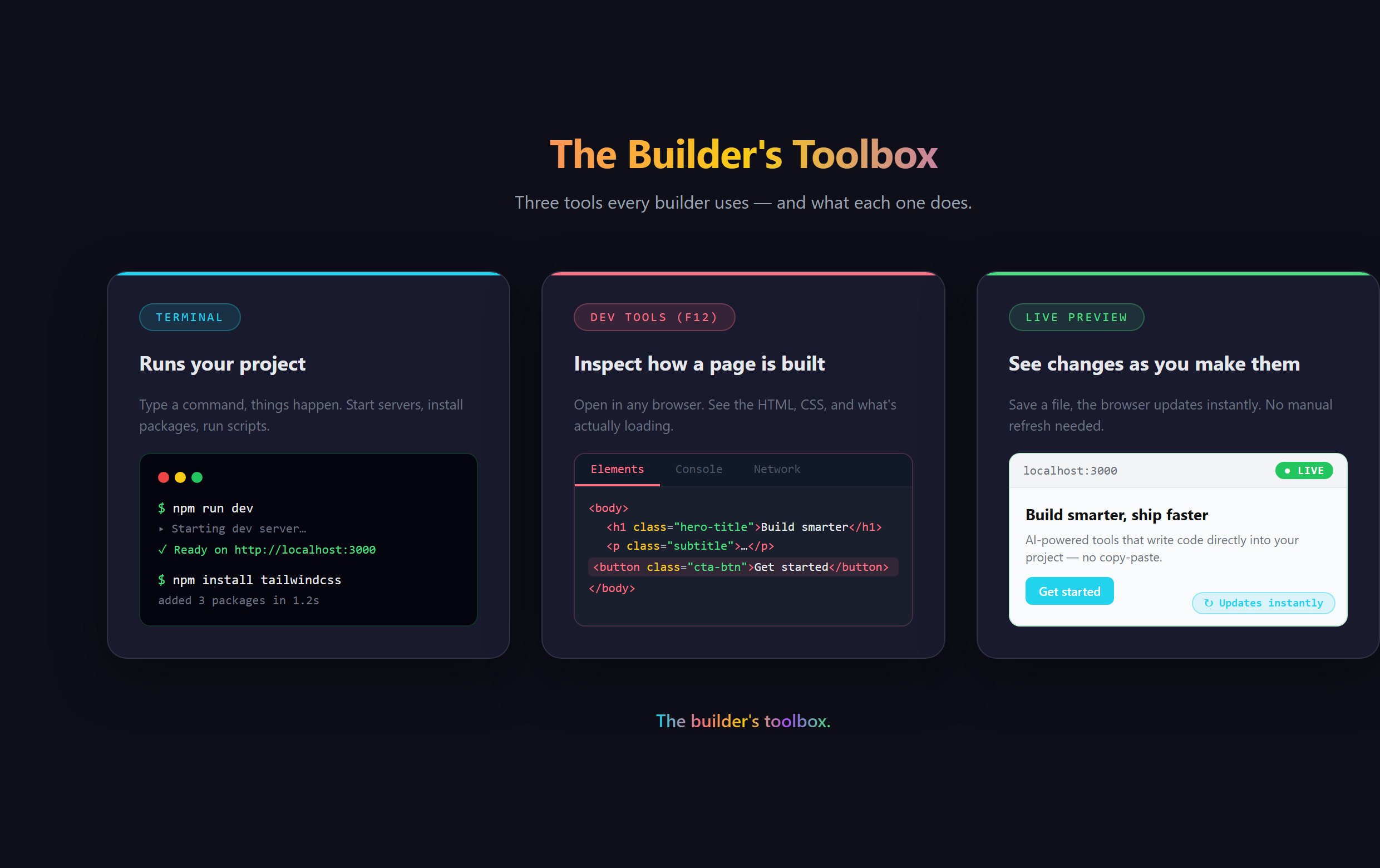
The terminal: talking to your computer directly
Most of the time you click icons and buttons to tell your computer what to do. The terminal is the other door: instead of clicking, you type a short instruction and the computer does it. That is the whole idea. It feels powerful because it is direct, with none of the menus in the way, which is exactly why builders live in it. When you build with AI, the terminal is mostly where you start your project running and where you watch it report back. Your AI assistant tells you what to type, so you are never left guessing.
You have seen the dramatic Hollywood version, the hacker furiously typing green text. The real thing is far calmer. It is a tool, like a steering wheel, and once it is familiar it stops being intimidating and starts being the fastest way to get something done.
Dev tools: x-ray vision for any web page
Every browser has a hidden inspection panel built in, usually opened with the F12 key, called dev tools. It lets you peek under the hood of any web page on the internet, yours or anyone else's, and see exactly how it is put together. Something looks off on your site? Dev tools show you why. Curious how a site you admire did something? Dev tools let you look. It is one of the most underrated free learning resources in existence, and builders use it constantly to debug and to learn.
Live preview: the instant feedback loop
Live preview is the quiet hero. Your project runs locally on your own machine and shows up in your browser, and when you change something it updates almost the moment you do it. Make an edit, glance over, see the result. That tight loop is what makes building with AI feel alive instead of like mailing a letter and waiting. You ask for a change, your assistant makes it, and the page in front of you updates, so you always know exactly where you stand. This describe-build-see rhythm is the heartbeat of how we teach building at Venom AI.
What goes wrong without the toolbox
People who avoid these tools build with the lights off. They cannot easily see why something broke, so small bugs become hours of guessing. They do not have live preview wired up, so they are never quite sure what their changes did. They treat the terminal as forbidden, so they get stuck the first time a project needs to be run. None of these tools are hard. Dodging them is what is actually hard, because it means building without the feedback that makes building make sense.
The payoff for spending a little time here is huge. These three tools turn building from a blind, slow slog into a fast, visible, in-control process. That is the real superpower: not writing code by hand, but seeing clearly and moving quickly while your AI does the typing.
Getting comfortable with the terminal, dev tools, and live preview inside VS Code, just enough to feel fast and never lost, is covered step by step in Venom AI's Tier 1. These are the builder superpowers that make everything else click, and they are a core part of how you Make Anything With AI without flying blind.