

Every guide that says "just start building with AI" quietly skips the part where you need somewhere to build. You open your laptop, you are ready to go, and then... go where? Into what? That blank moment, before a single line exists, is what a dev environment solves.
In short, a dev environment is the small set of tools on your own computer where you actually build software: a code editor, your AI assistant living inside it, a browser to see your work, and a few helpers that tie it all together.
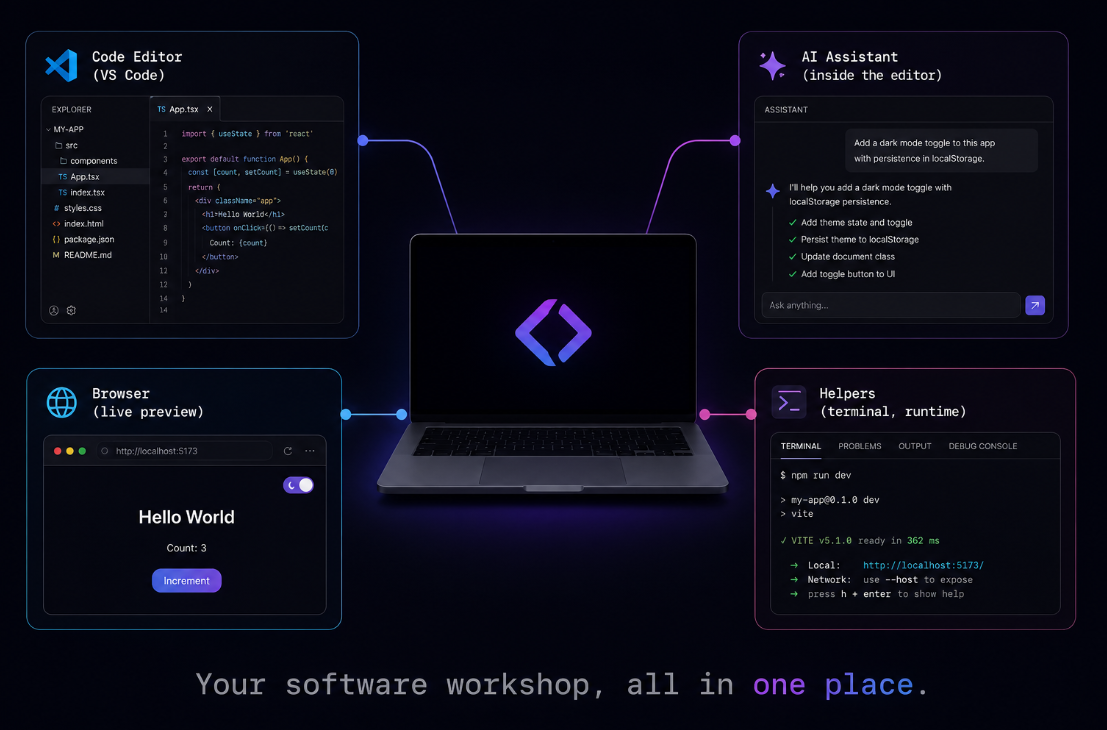
So what is a dev environment, really?
Think of it like a workshop. A carpenter does not build furniture in the middle of an empty room. They have a bench, their tools within reach, good light, and a place for the wood. A dev environment is that same workshop, except for building software. It lives on your machine, and once it is set up, everything you need is in one place and ready to go.
You have seen the results everywhere. Every app you have ever used, Spotify, your bank's website, the game on your phone, was built by someone sitting in front of a dev environment. It is the standard setup behind basically all software.
What is actually inside one?
A dev environment is really four things working together:
- A code editor:the main workspace where your project's files live and where the building happens. VS Code is the one almost everyone uses, and the one we build on.
- An AI assistant, right inside the editor: this is the part that changes everything. Instead of writing code by hand, you describe what you want and it builds, in the same window as your project.
- A browser: where your work shows up live as you go, so you see your site or app the moment it exists.
- A few quiet helpers: the behind-the-scenes pieces (a runtime, a package manager, a terminal) that let the whole thing actually run. You do not need to master each one to use them, but it helps to know they are there.
The magic is in how close together they sit. You type a request to your AI in the editor, it writes the code into your project, and the browser shows the result a second later. That tight loop, describe, build, see, is the entire experience of making things with AI, and it only exists once your environment is set up.
Why set it up before you build anything?
Because the shortcut is a trap. People try to skip this and build inside a chat window, or some all-in-one website that promises no setup. It feels easier for an afternoon. Then they hit the ceiling: they cannot save their work properly, cannot reach the professional tools, cannot move their project anywhere, and they are renting someone else's sandbox for a monthly fee. A real dev environment on your own machine has no ceiling and no rent. It is yours.
Here is the thing nobody tells beginners: the pros and the total newcomers now use the exact same setup. A senior engineer at a big company and someone on day one both sit in VS Code with an AI assistant beside them. The tools stopped being gatekept. The only real difference is knowing how to drive them, and that part is completely learnable.
Getting this whole environment set up from absolute zero, the editor, the AI assistant, and your first page running live in a browser, is the very first thing we do in Venom AI's Tier 1. It is step one of learning to Make Anything With AI, built so a complete beginner finishes with a working setup instead of a pile of half-installed tools. Set up the workshop once, and every project after it starts from "ready to build" instead of "where do I even begin?"